Typing speed is one of those skills that quietly affects your day. Faster typing means emails, homework and messages take less time, and it makes using a computer feel more comfortable. The good news is that typing is a learnable skill, and a short, consistent practice routine will usually beat long, occasional sessions. This guide explains the habits that matter, using the Typing Test on OnlinePlayZone to measure your progress.
How speed is measured
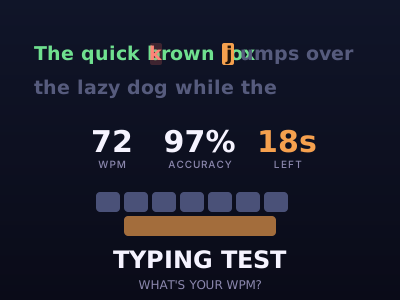
Typing speed is usually given in words per minute, or WPM. A word is counted as five characters, including spaces, so the measure does not depend on whether you happen to type short or long words. Accuracy is the percentage of characters you typed correctly. A test result is most meaningful when you look at both numbers together.
Most adults type at around 40 WPM. People who type for work often reach 60 to 80, and professional typists and competitive players can pass 100. These are only guides; the best target is a steady improvement from your own starting point.
Accuracy comes first
The most common mistake is to chase speed too early. If you type quickly but make many errors, you spend time pressing backspace, and the overall rhythm breaks. A better approach is to slow down until your accuracy is around 95 percent or higher, then gradually raise speed without letting accuracy fall. Speed built on accuracy lasts; speed built on mistakes does not.
Use the home row
Touch typing means placing your fingers on the home row, A S D F for the left hand and J K L ; for the right hand, and reaching to the other keys from there. The small bumps on the F and J keys help you find the position without looking. Each finger is responsible for a set of keys. At first this feels slower than typing with two fingers, but after a couple of weeks it becomes automatic and much faster.
Do not look at the keyboard
Looking down breaks your flow, because your eyes keep jumping between the screen and the keys. Train yourself to keep your eyes on the text. If you must look, do so briefly and then return. Some people cover the keyboard with a cloth while practising. It feels awkward for a few days, but it forces your fingers to learn the positions.
Posture and setup
- Sit upright with your feet flat and your back supported.
- Keep your wrists straight and slightly above the keyboard, not resting heavily on the desk.
- Place the screen at eye level, about an arm's length away.
- Take a short break every half hour to rest your hands and eyes.
Good posture reduces strain, and it also helps speed, because a relaxed hand moves more easily.
Read ahead
Fast typists do not type letter by letter. Their eyes are one or two words ahead of their fingers, which gives the hands time to prepare. When practising, try to look a little further ahead in the text than you naturally would. It feels uncomfortable at first, but it is the habit that separates comfortable typists from fast ones.
A simple practice plan
- Spend ten to fifteen minutes a day, rather than an hour once a week.
- Start each session with a slow warm-up focused on accuracy.
- Take one timed test and note your WPM and accuracy.
- Pay attention to the keys where you make most errors, and practise words that use them.
- Track your progress weekly, not daily, because daily scores vary.
After a few weeks of regular practice many people gain ten to twenty words per minute.
Other speed skills
Typing is one of a family of speed-and-accuracy skills that includes reaction time and aiming with a mouse or finger. The Reaction Test and Aim Trainer on OnlinePlayZone give you quick ways to measure and improve those, and short sessions of each make a good break between work.
Common mistakes and how to fix them
- Looking at your hands. Fix it by covering the keyboard or placing a small sticker on the home-row bumps and training yourself to feel for them.
- Ignoring weak keys. Everyone has a few awkward letters. Make a short list of the keys where you make mistakes and write practice sentences that use them.
- Hitting backspace for every slip. In a test, a quick correction is fine, but stopping to fix every error destroys your rhythm. Focus on accuracy so that you make fewer errors to fix.
- Tense shoulders. If your shoulders rise toward your ears, you are working too hard. Let your arms hang and your fingers stay light.
Typing on a phone
Thumb typing is a separate skill. Speeds are lower, but accuracy and rhythm still matter. Turn on predictive text if you find it helpful, learn the shortcuts of your keyboard, such as sliding between letters, and keep your phone in a comfortable grip. The habit of looking ahead in the text helps on a phone, too.
How to measure progress
Take the same type of test once a week and write down your speed and accuracy. Improvement is rarely a straight line: you will have plateaus, and then suddenly jump. Keep going for a month before deciding whether your routine works, and change one thing at a time.
Frequently asked questions
What is a good typing speed?
Most people type around 40 words per minute on average. 60 to 80 is fast for office work, and professional typists often exceed 100.
Is it better to type faster or more accurately?
Accuracy first. Correcting mistakes costs far more time than typing carefully, so a slightly slower, accurate rhythm usually produces a faster effective speed.
Can I learn touch typing on a phone?
Phone typing uses thumbs and works differently, but the habits of looking ahead and keeping a steady rhythm help there too.