A decade ago, if you wanted to play a game on a phone you went to an app store, waited for a download, and agreed to a list of permissions. Today, you can tap a link and play within seconds. The technology behind this is called HTML5, and it has quietly become one of the most capable ways to deliver games. This guide explains how browser games work, what they are good at and when an app is still the better choice. The examples are games from OnlinePlayZone, which are all built with HTML, CSS and JavaScript.
What HTML5 games are made of
A browser game is a web page. The page uses three standard tools: HTML for structure, CSS for appearance and JavaScript for logic. For graphics, many games use the canvas element, a drawing surface that JavaScript can paint on sixty times per second. Others use plain page elements, and styles and animations are drawn by the browser's own graphics engine. Sound is produced by the Web Audio API, which can generate tones directly without audio files. Touch and mouse input comes from pointer events, which work the same way on a phone and a computer.
Why they load so fast
There is nothing to install, so a game starts as soon as its files arrive. Many of the games on this site are only a few dozen kilobytes of code, and the files are compressed before they are sent. Because browsers cache what they have already downloaded, a game you have played before opens almost instantly the second time.
Works on any device
An app must be written separately for each platform. A web game is written once and runs on Android, iOS, Windows, macOS and Linux, wherever there is a modern browser. The page adapts to the screen: a game can scale to fit a small phone or a wide desktop monitor, and the same code accepts touch, mouse and keyboard.
How progress is saved
Browser games typically store scores and progress in the browser's local storage, a small area of your device that belongs to the site. This means no account is needed, and your information stays on your own device. The trade-off is that the data does not follow you from phone to laptop, and it can be removed if you clear your browsing data. Good games handle this politely: they keep working even when storage is blocked.
Performance and smoothness
Modern phones run JavaScript fast enough for smooth animation. The key is to keep the amount of work per frame small and to animate properties that the graphics hardware handles well, such as position and opacity. Games with a fixed time-step run at the same speed on a 60 hertz and a 144 hertz screen, which is important for fairness and feel. When a game is built carefully, the experience on a mid-range phone is hard to tell apart from an app.
Advantages of browser games
- No download or storage use. Nothing is added to your phone.
- Instant updates. Fixes and new levels appear for everyone as soon as they are published.
- Cross-platform. One game works on every device.
- Easy sharing. A game is a link, which you can send in a message.
- Privacy. A web page runs in the browser's sandbox and cannot reach into your files or contacts.
Where apps still win
Large 3D games with big textures, advanced physics and long play sessions are still better as apps, because they can use the phone's hardware more directly, store more content and run in the background. Apps can also send notifications and work completely offline. For puzzles, arcade games, word games, board games and quick casual games, however, a browser game gives you everything you need.
Full screen and mobile behaviour
Good browser games feel like apps on a phone. On OnlinePlayZone, the first tap in the game on a phone makes the game fill the whole screen, hides the page behind it and locks the zoom so that a double tap does not accidentally magnify the board. You can leave full screen with the exit button at the top or the Back button on your phone.
Try some examples
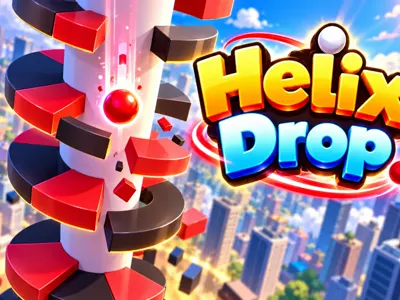
Helix Drop shows smooth pseudo-3D drawing on a canvas. Fruit Merge uses a small physics engine to make fruit tumble and merge. Color Hop shows how a single tap can control a whole game. WordMelt shows how a puzzle with animations, sound and a level map can run in a page weighing less than a few hundred kilobytes. All of them load with one tap and need nothing from your phone except a browser.
A short history
For many years, browser games were built with plug-ins, with Adobe Flash being the best known. Flash brought a generation of games to the web, but it needed a plug-in, drained batteries and never worked well on phones. Adobe ended support for Flash at the end of 2020 and browsers removed it. Modern web standards, including HTML5 canvas, Web Audio and pointer events, took over its role, and they work on every device without any plug-in. Many classic Flash-era games have been rebuilt for the open web.
How to tell if a game site is well made
- The page uses a secure connection, shown by a padlock in the address bar.
- The game loads in a couple of seconds and fits your screen.
- Touch controls feel responsive, and the page does not jump around as ads load.
- There is a clear privacy policy and a way to contact the people behind the site.
- The game does not ask for permissions that it does not need.
Those checks take less than a minute and reveal a lot about how much care went into the site.
Frequently asked questions
Do browser games work offline?
A game that has loaded can keep running without a connection if it does not need to fetch more files, but most browser games expect an internet connection to load for the first time.
Are browser games as good as apps?
For puzzle, arcade and casual games, yes. For very large 3D games with huge assets, apps still have the advantage.
Where is my progress saved?
Typically in your browser's local storage on your own device. If you clear browsing data or switch devices, the progress does not follow you.